
You don’t need to overhaul your life to get control of your cash. Modern tools let an app move small amounts, track spending, and build steady savings with little effort. Many link to your bank and account data, so you should read terms and understand permissions before you sign up.
In this roundup you’ll see how automation, budgeting, round-ups, goal-setting, and cash-back tools work. I’ll compare fees, security, bank integration, and the core features that actually change behavior—not just look pretty.
The aim: spend less, save consistently, and feel more in control without micromanaging every purchase.
Expect practical outcomes: fewer surprise charges, clearer visibility into where your cash goes, and a repeatable system that helps you build a buffer or pay down balances over time.
Key Takeaways
- Apps can automate transfers and track spending so you don’t rely on willpower alone.
- We compare categories: automation, budgeting, round-ups, goals, and cash-back.
- Check fees, security, and how the app links to your bank before you connect an account.
- Pick the best app based on income timing, bank setup, and comfort with automation.
- Small, regular transfers can grow into meaningful savings or an emergency buffer.
What a saving money app is and why you’re seeing them everywhere
Modern phone-based tools link to your accounts and nudge your choices so small actions add up over time.
Define it: an app is a mobile tool that helps you track where your cash goes, spot patterns, and route tiny amounts into a dedicated savings pot automatically. It makes saving the default, not a daily decision.
Phones and digital wallets made spending faster. That ease led to more overspend across the US, UK, and other English-speaking markets. These tools provide real-time guardrails so you avoid surprises.
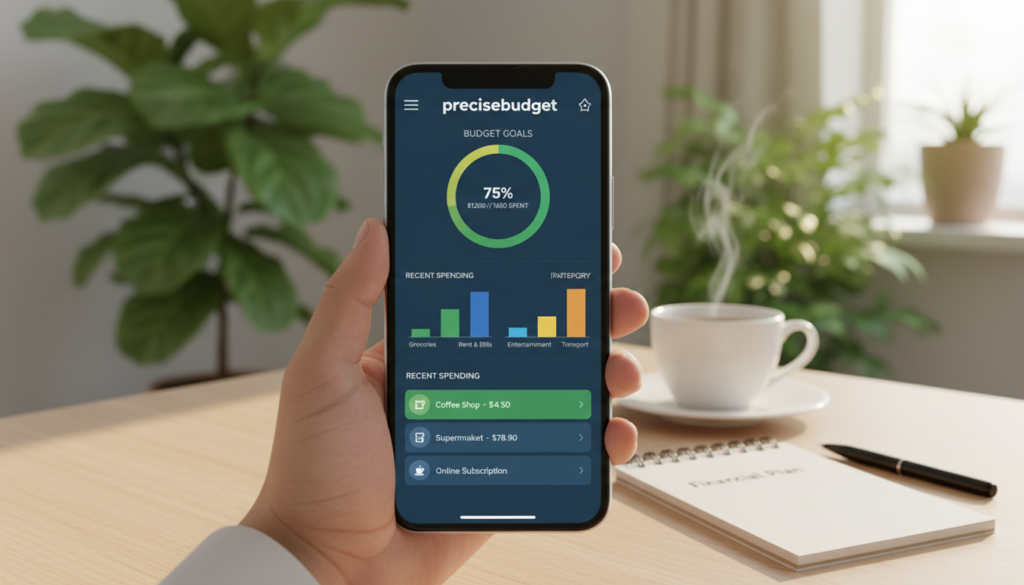
How these tools work on your phone
They connect to your bank account or cards, categorize purchases, and show dashboards so you can see bills and payments at a glance.
Why automation matters
When you’re busy or living paycheck to paycheck, scheduled transfers, round-ups, and smart rules remove friction. Automation turns a $1–$5 daily habit or a $10 payday transfer into steady savings without stress.
Real-world wins
Small actions add up: round-ups on coffee, a daily $2 rule, or a 52 Week challenge that ramps contributions to $1,378 by year-end. The core idea is simple — build momentum without perfect discipline.
| Feature | How it helps | Best for |
|---|---|---|
| Round-ups | Turns spare change into deposits | Frequent card users |
| Scheduled transfers | Automates payday moves | Paycheck-to-paycheck budgets |
| Account tracking | Shows bills and alerts to avoid fees | Anyone who wants clarity |
Types of saving money apps and who each one is best for
Match the tool to the problem you want to fix. Below are the common categories, how they work, and who benefits most.

Automatic transfers that follow your cash flow
How it works: tools analyze checking activity and move small, safe amounts into a linked account.
Who it’s for: beginners and people paid weekly or hourly who need hands-off progress. Oportun (formerly Digit) is an example; it pauses withdrawals if it predicts you can’t afford them.
Budgeting and expense tracking
How it works: these tools link accounts and cards, categorize transactions, and reveal recurring bills and credit use.
Who it’s for: anyone who wants full visibility. Rocket Money and YNAB mirror different styles—automated tracking versus an every-dollar discipline.
Round-ups and micro-investing
How it works: purchases round to the next dollar and the spare change moves into a portfolio or pot.
Who it’s for: casual spenders who prefer passive accumulation. Acorns and Chime offer round-up features plus debit card options.
Goal-based rules and shared targets
How it works: set rules, visual goals, and shared accounts to stay motivated.
Who it’s for: couples or groups and people who respond to visuals. Qapital uses rules and vision-board style goals to keep you accountable.
Cash-back and coupon finders
How it works: claim offers on gas, groceries, and online purchases or auto-apply coupon codes at checkout.
Who it’s for: shoppers who want direct value on items. Upside and Honey focus on offers that lower your out-of-pocket cost.
“Many people see quick wins by pairing an automatic tool with a budgeting system.”
Best-fit snapshots
- Beginners/paycheck-to-paycheck: automatic transfer tools.
- Families: synced envelope or manual budget systems like Goodbudget.
- Committed trackers: YNAB-style every-dollar methods to stop overspending.
How to choose the right app for your budget, bank account, and lifestyle
Pick an app that matches how you get paid, where you bank, and how hands-on you want to be.
Start with your main goal: automate deposits, cut recurring charges, or control spending. Then weigh cost, safety, and how smoothly it links to your accounts.
Fees and pricing models to watch
Free tools work for basic tracking. Paid tiers can be worth it if they recover more than their cost through automation or bill negotiation. Examples: Oportun is $5/month after a trial, Goodbudget offers a $10/month tier, and YNAB is $14.99/month after trial.
Security checklist
Verify encryption and secure connections. Read the terms before linking any bank account. Prefer products that state they use FDIC-insured partner accounts (coverage up to $250,000 per depositor).
Bank integration and reliability
Stable linking to checking, savings, credit, and card accounts prevents missed transactions. Broken connections create wrong balances and wasted time.
Features that change behavior
Automation, alerts, subscription tracking, and zero-based budgeting drive results. “Every dollar has a job” makes trade-offs visible and cuts impulse purchases.
| Decision factor | What to check | Expected outcome |
|---|---|---|
| Fees | Free vs subscription; trial length | Lower cost or clear ROI |
| Security | Encryption, terms, FDIC partner | Protected deposits and data |
| Integration | Linking to checking, savings, cards | Accurate budgets and fewer errors |
| Behavioral features | Alerts, round-ups, subscription tracking | Fewer late fees and steady savings |
Conclusion
The right solution is the one you’ll keep using—start simple and let automation do the repetitive work.
Automated transfers, clear budgets, round-ups, goals, and cash-back tools each solve a different problem. Use automatic savings if you want set-and-forget progress. Pick a budgeting tool for hands-on control. Choose round-ups for painless gains and goal rules if motivation is your blocker. Cash-back and coupon tools cut costs on essentials and online purchases.
Before you commit, confirm fees, review security and bank integration, and check that account links stay stable. Run one app for a full month and compare balances, bills, and spending patterns. If it doesn’t fit, switch categories rather than forcing it.
Next step: select one primary system, measure results each month, and keep your savings “job” clear—emergency fund, debt payoff, or a specific goal. For a quick comparison of options, see this roundup of the best budget apps.